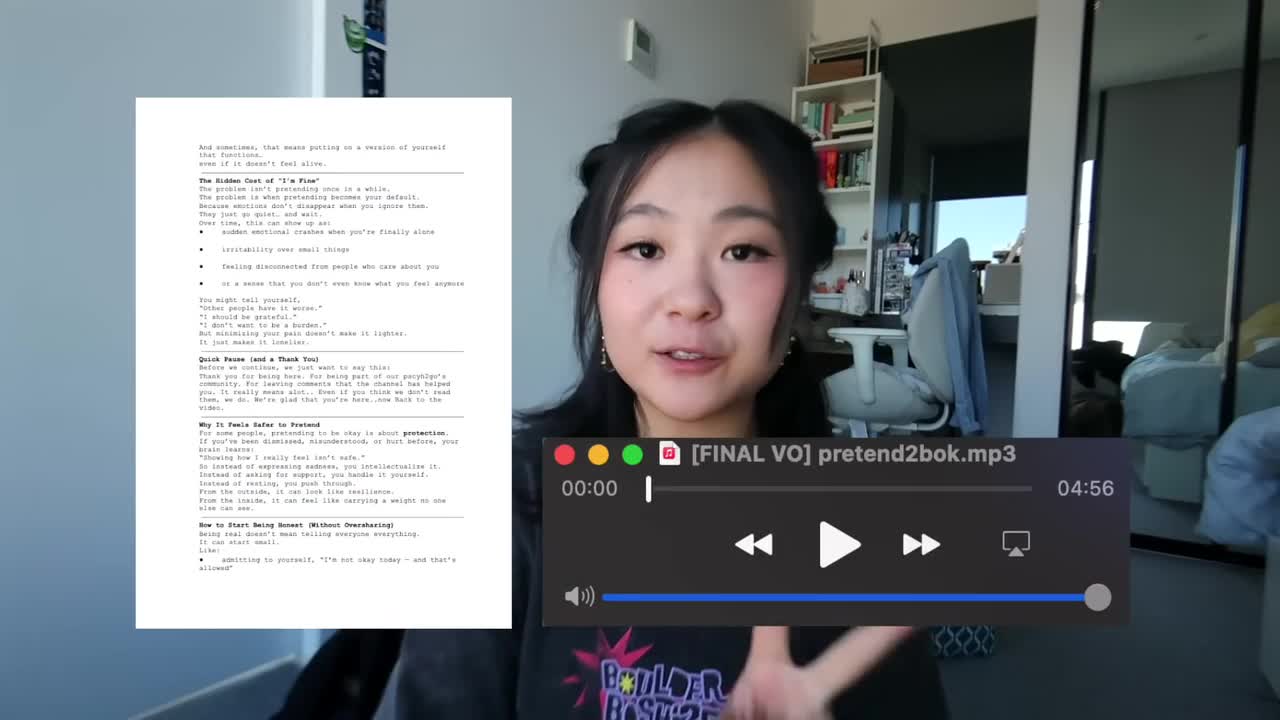
Hi, my name is Rosie and I'm one of the animators for Psych2Go.
I've been working with Psych2Go for four to five years now and I've done this playlist on their channel.
I thought I would take you along the process of what it takes to animate behind the scenes of a Psych2Go video.
So in this video we're going to be talking about how I made, why so many of us pretend to be okay even when we're not.
Every time I get a project, I get a script and a voiceover file.
I take these two things and just do whatever I want with it.
The Psych2Go team really values creativity, and so they just let me just create characters, animate them and create a visual story for the videos you see on their channel.
The first thing I usually do is create all my backgrounds.
I try to vary my style of characters and backgrounds and everything throughout each video to keep things interesting, but I am sometimes starting to side to a specific style.
The visual theme for the video I chose was more of an under the water scene so I made a bunch of backgrounds and I did elements like corals, rocks, and seaweed. plants underwater seedlings and i just put them in a folder and then dragged and dropped them into various scenes and created a library of backgrounds to choose from i think it's really important to just make subtle differences even if it's not really noticeable it actually adds a lot of depth and more interest to the video you're about to see um so yeah i created my backgrounds in procreate i drew all of them and then i put them into after effects and played with lighting and make things more beautiful and colorful.
With Psych2Go, it's a remote process.
I get to work on it whenever I want, and here are some little vlogs of me working on Psych2Go.
Videos at random places.
Hello, hello.
I'm currently in the car and I'm working on Psych2Go.
It's pretty tedious but it's really, really all fun work so I really enjoy.
I'll probably keep you guys here and do a little time lapse and we'll work on it together.
Camera's not working, but i'll show you some finals when it's done.
This is what it's currently looking like.
You can go like this and you can go like wave wave.
I hope you enjoyed the little mini vlogs throughout my time making this video.
I actually love how i can just pop out my ipad wherever i am whenever, and just start drawing on working on this video.
So the very first thing i do after receiving the voiceover and the script is to make my characters.
I think the character design is very, very important because it shows a version of sai.
If you see Psych2Go's channel, there's just so many different versions and characters, but it's still the same little guy with a leaf on top.
But you can really do different variations of him.
So every time before I start a video, I create character design sheets and create different expressions.
Sometimes I would start with that character and then draw over them for each scene.
Adds consistency and makes the character hopefully look little bit the same throughout the whole video.
Next up is adding text.
This video i incorporated some handwritten text, but also typing out text.
For handwritten text, i usually either draw it multiple times on procreate, but also sometimes i would do a recording of my drawing and then put it on a green screen and then key it out later so it looks like it's handwritten.
Some ways i like to add text in my videos.
I position them into the video on the screen.
Right now is just some examples of ways i put text and the process in me doing it.
Next up is frame by frame animation.
This process is very, very tedious.
It is literally drawing the same thing and draw frame by frame.
Even though it's the most tedious, it's honestly my favorite part about working on these videos is a very therapeutic process to me and just very time-consuming, but very rewarding when you see everything in action in a time-lapse.
Sometimes it doesn't really show much, but then we put it all together.
You're like ah, he's waiting or he's lifting his arm, Very subtle movements, but I think it adds life to these characters.
Sometimes, if they're too static, adding a little movement, even though sometimes it's very subtle, but then you add it like a couple hours to the workload, it is very impactful, I think, in the long run.
I think with animation, it's all these like small details that build up to make a really nice whole, cohesive and storytelling-ful.
Storytelling-ful? makes a very good story visual visual story the next part i wanted to show you is when i build more complicated scenes um i don't think all my scenes reach level of complicationness complicatedness i want but with the time crunch and trying to produce work i do space them out i try to complicate it and then complicate it and like try to do different so it's not the first three minutes of the video it's so complicated and then the other ones are so plain and when i'm doing a scene like this i usually start out with the background and then layer on the outline of the characters and add elements and lighting and these are just some build-ups when i'm drawing these scenes it is very fun very very fun along with like the main white little cyclical character with the leaf i also had some side characters because it was an underwater theme i added two little guys who are audience members trying to represent you guys watching the scene so i added the snorkel buddies and then i also did some variations of them yeah these are my little side characters um hopefully they add more people population to the story mini world super mini world that i'm creating for this video next up is really subtle but the little bubbles you see on the screen this one i made four different kinds of bubbles and just varied them in size and in speed throughout the video very small detail but i think it adds More elements to this underwater world.
And then in the next clip, you're going to see me layering the different elements that I've put together.
I do my layering in Final Cut Pro.
I think I tried to do them in After Effects, but then the file just got really complicated.
And yeah, Final Cut Pro just lets me drag a bunch of layers throughout the whole thing.
It's easy to layer on.
And even though the keyframing isn't as exact, it still works.
Hopefully it is.
Last but not least is the text.
I've done some handwritten fonts throughout the video, but with the typed out text i usually do it at the very end.
I just just compile my art, everything i've done, and then take my script and my editing file and just type away.
Um, sometimes i copy and paste, but there's sometimes the wording kind of switches, because i think amanda, our voice over girl, who you all love me too, and it was literally like i listened to her so much because i'm always working on this but i'd like never get bored of it and i love.
But anyway, she sometimes like switches it just to make the words flow better, or I love her for that.
But sometimes that means a little bit more time shifting stuff and typing it instead of just copy paste, copy paste.
I try not to put too much text on the screen because I think that's a little hard to read sometimes.
I try to keep the text pretty even and short throughout the video.
That's when I'm adding text throughout the video.
I hope you enjoyed a little sneak peek of what goes on behind all the videos you see on our channel.
If you have any comments or suggestions or things you want to see, please let us know.
Um, we'll try to make them happen together.
If you want to follow me on my social medias, this is my accounts yes, my right accounts um, but yes, hope you guys like this one and please go watch all our videos that we worked really, really hard on.
Hey, thank you so much and i'll see you guys in the next one bye.