You make it hard to say goodbye.
You make it hard to say goodbye, Little tiny Aphrodite.
I don't wanna wake you.
All right, my exams are done, and that means my hiatus is also done, and that means more videos.
Let's give it a round of applause, everyone.
A round of applause for kind notebook.
Your favorite study trip is back.
Okay anyway, for this video i have something special, because recently i've always been fascinated with the idea of digital Notebooks.
I'm not talking about, like your typical iPad Air, like the one that I've been using for pretty much my entire university career.
I'm talking about an actual tablet that mimics literally how a notebook feels like.
And as a dental med student, I've always thought, what if I had one tablet or one digital notebook?
Not just for school, but for meetings, for writing notes, for reading.
Well recently, iFlightTech was kind enough to send me one of their smart notebooks, which is this one.
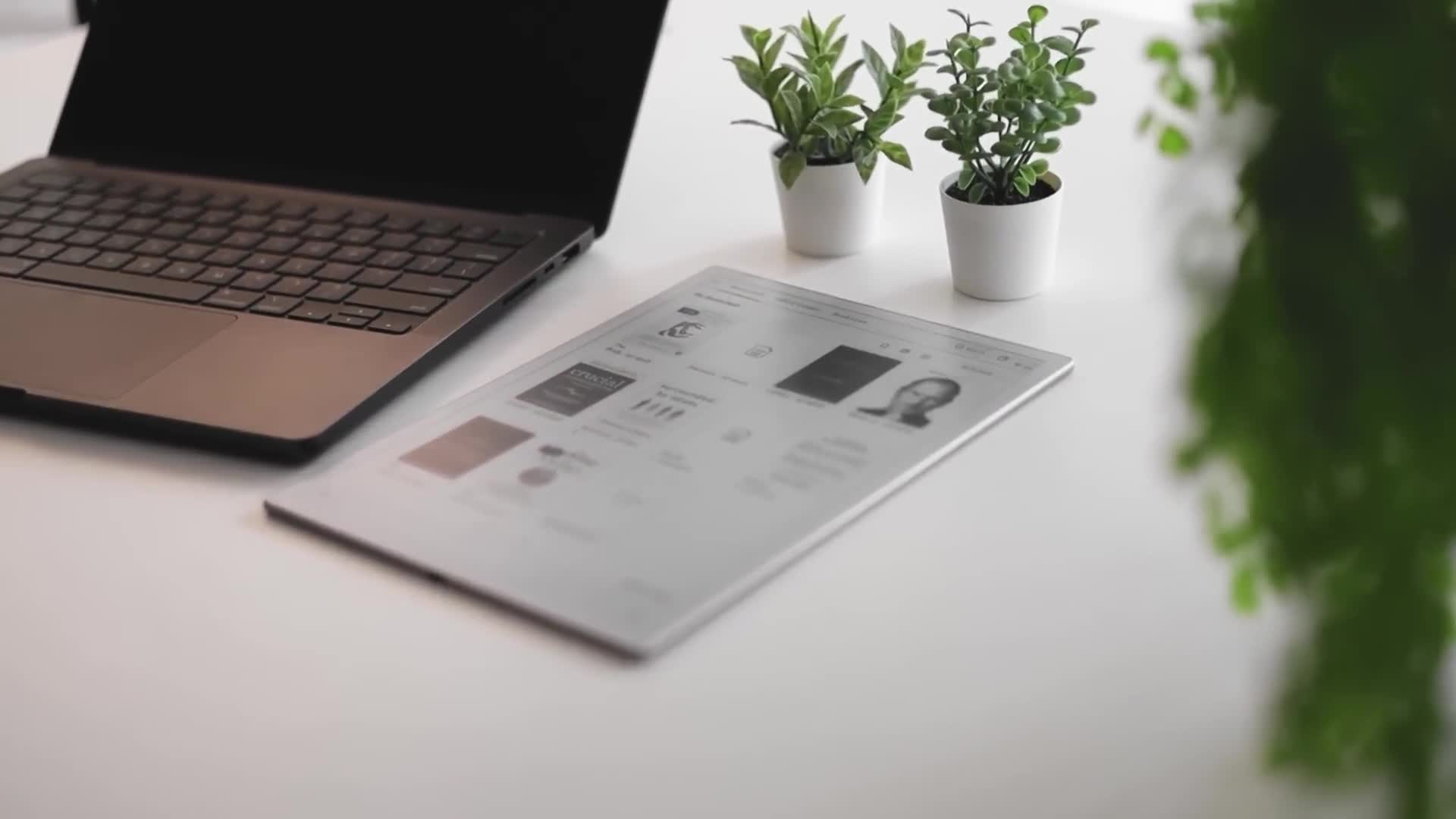
This is your iFlight Tech AI Note 2.
And first of all, I just want to say, I don't normally do product reviews on this channel.
I mainly just do school content and whatnot, but this device quite literally really intrigued me.
Because, number one can we just talk about how thin this device is?
It's not even focusing on my camera.
This is literally the thickness of my iPhone and the tablet.
It is thinner than my phone, especially with the whole iPhone Air 17 hype.
This is even thinner than the iPhone 17 Air.
And you'll notice that this is a lot bigger compared to their previous model, which I reviewed in the past few months ago.
Now, before I started filming this video, I was kind of debating on whether or not I should just do a typical tech review on this tablet, but Honestly, I feel like that's kind of a bit boring and I feel like it's much better if I show you with actual use cases with my work.
So you could see if this is the right thing for you.
Now, before we get into the use cases, I wanna talk about what you actually get With the box.
You don't really get a lot.
You just get a simple tablet over here, which is the tablet itself.
But you also get a little pen as well.
It's kind of like the iPad Pencil Pro.
You just have to snap it onto the tablet and it will charge from there.
You don't have to charge it with USB Type-C.
Actually, there is no USB Type-C connector on this pencil.
You just have to attach it to the tablet.
You also get a USB-C to USB-A connector.
So there's that.
I think I much prefer the pen to just connect to the tablet magnetically, because I just don't have to worry about bringing a type C connector all the time and having to charge this with a connector.
Like I'd rather just attach the pen to the tablet and just forget about it and wait for it to charge, which is, I don't know, much more convenient.
So I've been using this for some time now.
If you don't know me, I'm a dental med student, which means I also take a lot of notes.
Now unfortunately, some of the things my professor says in my lectures are not included in study materials.
So as much as possible.
Even though I tell people not to take notes As the main way of learning, I have to take notes.
I have no freaking choice.
But I also wanted to share how I use this tablet outside of school, because this is really convenient, especially as it fits to my day-to-day hobbies.
If you guys didn't know, I love reading and annotating, especially whenever I'm reading something that I'm learning from.
I pretty much annotate everything.
So I want to share with you guys actual use cases where I actually use this tablet.
And let's start with my favorite use case, reading books.
Now, as much as I love paper, the smell and the feeling of books, carrying a ton of books outside is not an easy feat, especially when I just want to access different books at different times.
Just having this really thin tablet with pretty much all my digital books is just so freaking convenient.
And the great thing about having this tablet is that not only is it perfect for reading, but it's also perfect for annotating.
You could literally annotate right on the tablet itself.
Something I don't do with my physical books because I prefer to keep them in a pristine condition.
Yeah, I'm that kind of asshole.
So whenever I'm reading, I'm not afraid to annotate or even highlight anything I want.
I just do it right on a tablet.
Typically with this tablet, since I like reading in usually cafes or whatever.
Yes, I know.
Performative male max level.
That's me.
Unironically, I drink matcha.
Oh God.
I really do love bringing books to cafes.
Problem is some books that I read right now are huge.
For example, I'm reading Steve Jobs right now.
Actually, let me get the book right now.
This is the original copy that my parents bought.
They gave it to me.
Um, look how thick this book is.
You?
You expect me to bring this to a cafe?
I'm gonna look performative as hell, but yeah, it's not convenient to carry this, so i solve that by just bringing this tablet instead.
Look at the thickness difference.
And this is much lighter to bring with so many books compared to just bringing this.
This will fill like 50% of my bag already.
So yeah, that's pretty much the main reason why I would bring my iFlytech AI Note 2.
I'm just gonna set you aside over there, Steve, if that's fine with you.
Okay, anyway, you're gonna now see him for the rest of the video.
So yeah, what's cool about this is you could download pretty much any ebooks that you have.
And another thing I want to mention is that reading manga on this tablet is just so freaking fun.
Recently I've been reading Berserk and just having it on this like paper-like tablet is just so satisfying.
Like there's something really enjoyable about reading manga in like a paper-like format instead of like looking at your phone or your tablet.
I don't know, I think maybe it's just me, but just really adds to the experience.
And honestly, it's just super easy to do.
All you have to do is download and transfer the file or the PDF of the book into the tablet.
And you could do that with Bluetooth, Wi-Fi, or USB.
I transferred my files with Wi-Fi and it was just so freaking convenient.
Of course, I also use this tablet inside as well.
I use it at home.
And since it has a Mobius Carta 1300e ink, it really feels like I'm reading an actual paper and the screen texture just feels like paper as well.
So whenever I'm annotating something while reading, I just use this tablet.
And what's good about this screen is that, since it's not a blue screen, I can just use it before sleeping.
I don't feel like it's bothering my sleep schedule or it's keeping me awake.
It's literally just a paper-like screen.
Now, another way that I've been using this tablet as well is more of a business notebook as well.
So I've been treating it like a personal workspace where I would just jot down any ideas or sketch any mind maps or business plans.
And I also bring it to team meetings.
So yes, I do have a team and we do have meetings from time and time again.
And I've been using this to pretty much summarize what we've talked about in the meeting, which is just really helpful.
It comes with a built-in recording feature that not only records the meeting, but it also converts the audio into text.
So basically I'm talking right now and, as you can see, it is literally transcribing everything that i'm saying in real time, which is really really cool.
There's also other options, other languages, but basically you have a built-in transcriber right here, which is really really cool, very useful for notes, so i just press stop and i can even insert that to my notes.
So if i go back up Now, it's part of my notes.
Pretty, really cool.
And really what makes this convenient, especially with meetings, is just the form factor.
It's just so easy to carry around.
I don't have to bring my iPad anymore.
And I can't believe I'm saying this, but my iPad, compared to this, just feels a lot more heavier, especially with the keyboard case.
So just having something this lightweight on hand is just convenient.
Now they do have a scheduling feature on this tablet.
Personally, i don't really use that feature because i already have my own google calendar, but if you're into like the sort of hybrid analog digital planners, aino2 actually has one built right into the tablet, which is, i don't know, really cool if you guys are interested.
And lastly, the last thing that i've been using this is school notes.
I've been using this tablet for school notes in my dental school and here is my experience.
As i mentioned earlier, this is much easier to carry to school because it's a lot lighter than my ipad.
But another feature that i really like is the transcription feature.
I mentioned that i bring this to my meetings so it automatically transcribes whatever i'm saying, meaning that i could also use this for school.
So literally every time my professor's talking, I record whatever they're saying.
The problem is most of my professors talk in Filipino, which is not supported by the transcription feature.
It does not have the language yet.
So I don't really use a transcription feature all the time.
However, if my professor teaches in English, I use that feature.
Now for the actual notes themselves, it feels like actual writing paper.
It's not the same, obviously, but it is very similar.
To compare it with a regular notebook that I use.
The size and versatility is just I don't know.
I just feel like this is much more convenient for me.
This tablet also has a decent folder system.
I can create folders for different subjects organized by semester and year.
Can I just say, writing on it feels satisfying, especially with the pen that it comes with.
One feature that I really like especially is you could erase things with the back of the pencil like an actual pencil, which is really convenient.
And honestly, I don't have to undo or anything.
I just have to use the back part of the pen.
Now, of course, I haven't been using this tablet long term yet.
So if you guys want an update video in the future, do drop a comment down below and let me know.
Now, of course, just because they sent me this tablet to make this video, this tablet is not perfect, which is why I want to talk about the caveats and the shortcomings.
And hopefully this will tell you if this is right for you.
The first thing, the first caveat about this tablet is that it's not going to be your typical tablet experience.
Of course, with every e-reader, it's not going to be as snappy as your normal phone or tablet, because it has an e-ink screen.
So whenever you click a button or you change pages, there will be a delay.
There will be a slight delay, which is normal on pretty much every e-ink tablet.
Another thing about this tablet is that there is no backlight.
However, I don't really see it as an downside, because you're really getting this for their paper-like reading experience.
So if you're in the dark and you need to use it, you will really need an extra light source, like your light in your room or a lamp.
Since it's purely an e-ink screen.
But honestly, for me, I don't really see it as a huge downside.
Again, you're using it kind of like an actual notebook compared to like an actual tablet.
Now, can this actually replace a notebook?
My answer to that is still no.
As many praises, I can give you, tablets like this will never fully replace physical notebooks for me.
I still have my personal travel notebook.
This is my journal and I still use it until now because, at the end of the day, there's something more sentimental about writing on real paper.
And just because I have this, I'm not going to stop buying physical books, because I just have a small part of my heart that loves paperback.
However, if you look at the tablet for what it's designed to do, as a convenient AI-powered, smart digital notebook, I truly think it's actually a fantastic addition to your life.
Now I haven't used this for a long time, so I can give an update of a long-term usage of this tablet.
But if you're someone who loves reading, taking notes and pretty much having everything in one place with AI integration, It's not just a smart, AI-powered notebook, but it's really just an ultra-thin, convenient digital notebook that you can pretty much carry anywhere.
So if you guys are interested in this digital notebook, you can check down in the link description.
They're currently having a Black Friday discount sale, so if you want to grab one, go.
Definitely check it out now.
Anyway, I hope you guys enjoyed today's video.
I just want to say a huge thank you for everyone for the recent support for my previous videos.
Yes, I know I've been gone for a while and honestly, I haven't been feeling the best mentally for the past few weeks, but I'm back.
Don't worry.
I'm good.
As for the vlogs...
I know I haven't touched my other channel for a long time, but you know as much as I want to say, I'm going to get back into it.
I always say that, but then it never happens.
So I'm just not going to say anything.
So yeah.
Anyway, thank you guys so much for watching.
I'll see you in the next video.
I need to go to the gym in a few hours.
But anyway, don't forget to drink your water.
Bye.
Bye.