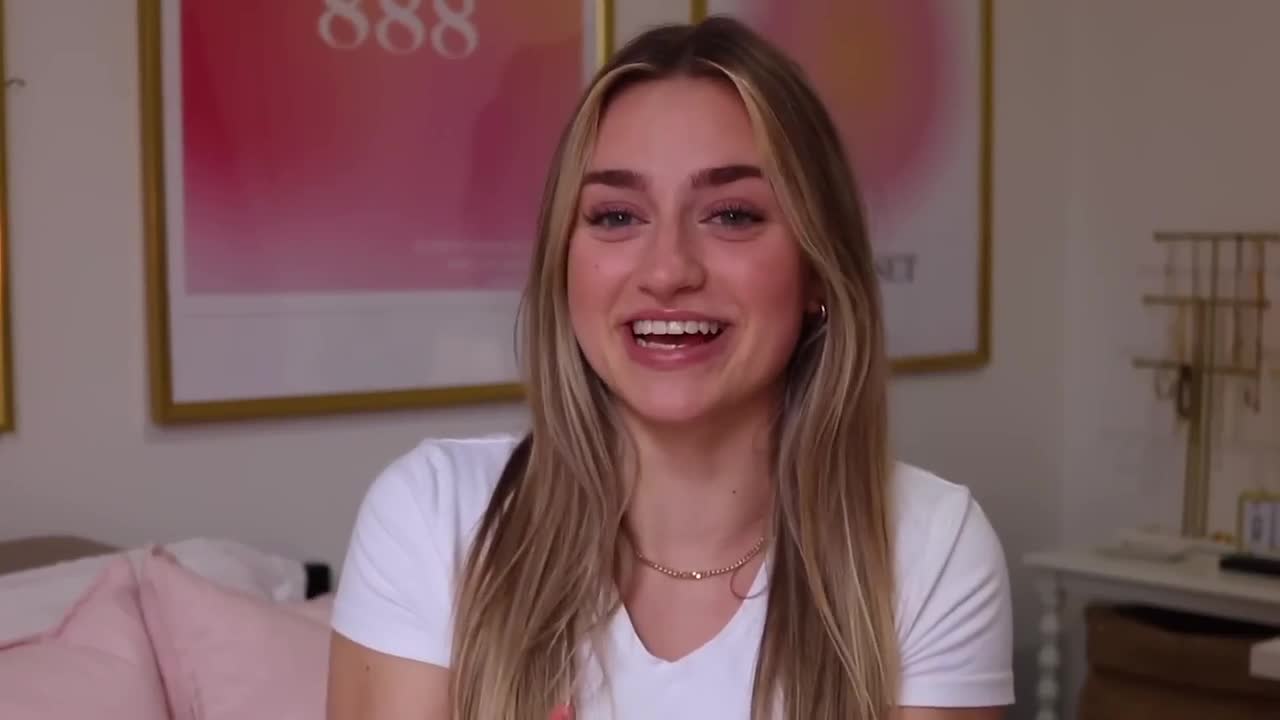
Hey guys, it's sadie, and today i'm going to be showing you what is on my iphone 15 plus.
I got so many requests for this video.
Every single time i get an updated phone or there's like a new ios update, i'm always like okay, i want to make a video about it.
So i'm just gonna let you guys know now.
I'm never gonna stop making what's my iphone videos.
That's the announcement.
Let's admit it.
We are on these things so much, which is why I make so many videos about this, because I feel like it really does affect how I think.
I have a very close connection with Apple, as a lot of you guys know, which is insane.
Like I can't believe I'm saying that.
I get to know a lot of the updates of like the iOS updates and things that are coming in Apple.
So I make sure that I let you guys know things that you are definitely gonna want to use and things that I would actually think you guys would find I actually was going to use the iPhone 15 Pro Max, but I actually do use that for filming YouTube videos and filming content like B-roll footage using the cinematic mode on the iPhone 15 Pro Max.
And it's because it will blur the background and it has autofocus and it will look like a DSLR camera.
For an everyday phone, I really suggest the iPhone 15 Plus.
This color is probably my exact favorite color pink.
As you can probably tell, I love pink.
I have this really boring clear case on it, but it's because I wanted the pink to kind of shine through.
There are so many things that I have changed actually from my last what's on my iPhone.
So I'm just gonna get right into it.
The first thing that i want to talk about on my phone is like the layout of it.
So i have a bunch of different focus filters that are linked to different wallpapers and just the whole layout kind of changes according to my focus filters.
Focus filters have literally changed my life and like everything that i do digitally and i love how it syncs between my mac, my ipad and my phone and even my apple watch, like everything.
So this is the screen that i have just normally.
Evan, my boyfriend.
Funnily enough, this photo we took when we were on the New York trip that I took to film content for Apple.
And I'm doing it with my iPhone.
This i actually just like took a photo, put it in black and white and then i really like the contrast, like how the pink goes with the pink of the phone, but it's just black.
And then i have all of the little widgets below, which is actually from the app i am.
It basically just gives you a bunch of affirmations and that changes out like every hour.
So whenever i open my phone i just have a cute little affirmation.
It's in the same pink color as the time and the date, And then I have the weather widget.
That is actually from an app called Lock Widget, I believe.
And Lock Widget has so many options for lockscreen widgets and homescreen widgets.
And then this little heart, I honestly didn't really have another widget that I wanted there.
I got that from the app Photo Widget.
My phone's on do not disturb right now and honestly it's on.
Do not disturb a lot because I don't like to be disturbed.
This is my home screen.
As you can tell, it has an iOS icon pack that is put on it and you can actually buy this from my Etsy shop, Actualizer Co.
I'm going to link it down below.
I've been working on this pack for so long.
It is available right now.
I will link it down below.
It is the sun and moon iOS icon pack.
And I basically made it so that you can have your focus filters automatically change the wallpaper from the moon to the sun for day and night.
And then you can also coordinate that focus filter to put certain things on do not disturb.
The icons do stay the same.
They're this really minimal, cute, and hand-drawn pink, white, and brown color palette.
The background, this is one of the two day time wallpapers.
And then I have two nighttime wallpapers that I'm going to show you in a bit.
I do have a focus filter that is called Sleep. and when I put this on it changes my wallpaper to the nighttime wallpaper it has this little moon and it has a really cute neutral pink background so I actually have different widgets on this one because I don't need to know the weather when I'm like sleeping so this is like my wind down filter so I have just the calendar and then I have an affirmation and when you swipe up I have all the same widgets and apps in the same location this top left photo widget actually has seven widgets that come with my pack so when you get my pack you get four wallpapers and then 40 plus iOS icons and then seven widgets that are like astronomy themed really inspiring and minimal like this is probably my favorite thing that I have released for phone wallpaper iOS and I am so excited for you guys to put this on your phone and then I can also choose between that one and this one this is actually is one of my favorites I want it to be really minimal and this one I have a widget that's animated and I got this from widget but this wallpaper is a really cool darker and neutral with a crescent moon and some clouds and some little stars when you open my phone up it's also on the home screen the photo widget at the top change so I have that to change every like couple of minutes I'm actually so excited for you guys to get this and I made it super affordable it's five US dollars and if you're interested no pressure though you can click the description down below I also have other digital planners and wallpapers that are available on my Etsy shop if you have any suggestions or requests for different designs that you want me to do definitely let me know I love doing this and I love making them I'm also gonna release a brand deal planner very soon I so this is basically the layout of the home screen i always just want to have the calendar right there like the upcoming events that i have on the top left corner and i just love that widget like i can just open my phone be like okay that's my next class or that's what i'm doing today that's the main goal today then on the top right i have today's to-do list so today i just have to sign up for a co-op mock interview and then i have to adjust a brand deal tiktok and just make the revisions and send it off and i also have the automatic light and dark mode set up on my phone i just really like when i'm going to bed everything is just a little bit darker so those two widgets will turn dark and i also have the night shift on and it makes my screen super yellow and it dims out all the blue light then i have all of the most used apps here and it actually was really hard for me to pick what apps are going to be on the first screen but youtube studio is where i check my youtube analytics youtube notes i write down so many things in notes i plan out all my youtube videos and notes i put down my business any business calls that i have tiktok i plan all of my tiktoks out on there or instagram real ideas photoshoot ideas Actualizer I have all my lists and some workouts that I like to do I have a whole journaling thing and that is all locked I lock all of my like really personal notes and then a bunch of different folders.
So Then I have phone and I love that little phone widget.
It's like an olden days, little landline phone.
Settings, photos, maps.
I love that icon.
I have like three different mail accounts on my phone.
There are a couple app icons that you can use for apps that I haven't included.
You can just use one of the hearts or I also have like a lightning bolt.
Then I have FaceTime, TikTok.
This is my TikTok account and we've been growing so much on TikTok.
It's actually crazy.
Then I have Snapchat.
Guys, look at my emoji.
It's insanely scary. if you want to add me on snapchat it's sadialdis11 and i post really like candidly on there like i post silly stuff this is my goofiest app then i have instagram we actually got verified and i cried i genuinely thought i was never going to get verified and i know it's literally just a blue check mark and you can like pay for verification now but i was not going to do that i'm like if you have to pay for it then what's even the point there is no way instagram thinks that i should be verified and now i'm verified on youtube tiktok pinterest and instagram i can't i actually can't when i talk about it i'm like this is not my real life thank you guys so much for still supporting me on everything even when i'm so busy during school i really am thinking about you guys every single day and like what content i can give you and i just love tiktok and instagram reels like i am really i'm really a real girl i might edit that out of the video but i might not so let's see if you guys get to hear that joke that was really bad then on the next page oh the widget changed and this is just a quote it says make decisions from the perspective of who you want to become that is literally my life quote that i live by every single day i also have another widget on the side that is the motivation app it's like the same family of the i am app this one's more for like productivity and career motivation instead of personal growth this one says what makes you different is the exact thing that makes you irreplaceable And I actually customized the widget so it would match my wallpaper and my icons.
That changes like every hour.
So I would definitely suggest the apps I am in Motivation.
Then Outlook is my school email.
So I have the sparkle icon on that one.
Then I have Uber and I put a race car, like sports car icon.
Yeah, I want to be picked up in like an Uber Black, even though I'm definitely ordering an UberX every single time.
Then I have the health app, and my favorite thing in the health app recently has been the medications reminder.
I take a lot of supplements.
I will get a notification for like having spearmint tea, because it really balances hormones.
I want to have magnesium before I go to bed every single day and then you can log if you've taken them or if you've skipped them.
Then you can go back and see how consistently you've been taking your supplements And I actually have consistently been taking them for three months and my hormones are balancing out, which I never thought that would happen.
But I have my bank app and Pinterest.
I have been so on Pinterest lately.
It is very curated to my style now.
Like it is exactly what I want it to be.
It's a mix of entrepreneurship, school outfits jewelry, health just everything that I want to be inspired by.
My username is Sadie Aldis.
Then i have camera, starbucks chirp.
Actually it has really good summaries of longer books in audio form.
Then i have amazon netflix.
Unum is how i plan out my instagram feed.
I just go in and i will just drag and drop photos and you can even like, hide things you want to see like.
Would this look better in my feed without that there?
Oh, that looks a lot better than what it was before.
You can also see what is the major color.
Then I have VSCO.
I added all of my Instagram photos with VSCO.
I might want to start using the Tezza app.
I've seen so many vintage looking photos like that.
Actually, let me show you my favorite filters.
O1, C1, C6, K1, K3, M4, L4, C9, E3, M2, M1.
Okay, you guys can read them.
I don't have to go through all of them.
Then i have mail, the third and final mail.
That is just my personal email.
I have google and this one.
Actually, i just did like a searching www little tab, so if you have chrome or safari, you don't have to do two separate icons.
Then i have messages and spotify.
I am tate mccray's number one fan, but also my jam playlist has been very, very good.
I've been adding songs so much to that.
If you want to listen to what i'm listening to every single day when i get ready, it's going to be a lot of madison beer and tate mccray.
And if you want to have a little giggle, you can read the description that i put on every single one of my playlists.
But i have a lot of playlists that are for every type of situation that you need, And then everything else.
I have a ton of other apps too that I do use, but I don't use them on, like the daily or the weekly.
So I have them just in the app library.
I'm going to have to blur out all the names in the conversations of these texts, because I feel really vulnerable right now.
But I wanted to show you guys the contact posters that I have set up for my favorite contacts.
Say I went to like Aaliyah's contacts.
Then I would go to info, press edit and you can edit and customize how they show up on your phone when you get a call from them.
And I just put the first letter of everyone's name, just to keep it really simple.
You can also change the background.
I made everyone's pink and then I will just do update.
And for the contact photo, I just put their letter, the first letter of their name.
And then whenever she calls me, it's like a really cute pink gradient.
And then all of my text messages look pink.
I changed my contact photo card so I go to contact photo, update your name and photo.
Then when I call someone, this is what my contact photo is going to show up like on their phone.
It'll say Sadie Aldiss, and this is someone I can choose.
If it's like everyone or if it's just people in my favorites or people that I have their number, they will get to see my full name and you can do name and photo sharing.
You can change your name, how you show up and then you can say always ask if you want to share or will it be contacts only?
And now that is how i show up for every person that i call for text.
If you guys sleep with your phone next to you or use it as like a, an alarm, there is this feature called standby, so it's when your phone is placed on its side, when it's charging, It comes up with this really cool, almost alarm clock vibe.
You can customize all the widgets that you see in standby mode.
So it can be like the calendar.
It can show a photo with a time on it.
I definitely use standby.
I'll just plug my phone and then put it on its side.
And then it will also have the time.
So if I roll over and I'm sleeping, you can also put the brightness all the way down.
Like it is a really cool feature feature and it's actually really useful.
And to edit standby all you have to do is, when it's in standby, press and hold and then you can edit all the widgets that appear on your standby screen.
So there's this new feature called check-in.
This is amazing.
Especially if you're in university and you're going out at night, you just want to feel like your parents know where you are, your friends know where you are.
It's like a really good safety measure that I use with my friends.
You can basically let your friends know when you have gotten to your destination.
So if your friend's like okay, we're actually going to go home now, text me when you're home.
So your iPhone will keep your progress.
If you stop making progress towards your destination, then you will be prompted to respond like yes, I'm okay.
Or, if you don't respond, your phone will automatically share important data like your battery levels, your location.
You can choose what information is shared with them.
It will also make an emergency SOS call if you don't respond and say that you're still going towards your destination, but it's just a really good safety feature.
I'm so glad Apple built something into the app itself.
It makes it really easy and you don't even have to remember to text your friend that you got home and it will just automatically let them know that you're home.
It is literally amazing and I definitely suggest setting it up.
Also another amazing thing, it auto deletes verification codes.
You know, when you get that Gmail verification code, it will automatically delete that text from your messages.
Cause that is literally my pet peeve and I always go in and delete them after.
The next thing that I love in messages is if you guys send voice messages like I send voice messages all the time just because I hate typing a lot, sometimes i do end up talking for a while and i know no one has like five minutes to listen to my long story that i probably could have told in 30 seconds.
First of all, there is a transcription of audio messages now, so it'll basically show in text underneath the voice message what the person said in the voice message.
So if you're in a place where you can't actually like take the time to listen, you can't play it out loud, then you can just read it.
And also, if you press and hold, can actually choose a speed, and i'm very impatient so i will definitely choose 15 speed to listen to all my voice messages.
Also, if you want to directly reply to a text, you don't have to press and hold and press reply.
You can also just swipe to the right and then reply.
The next thing is if you are facetiming someone and they don't answer, you can actually leave a video message, which this is actually really useful, like if you just wanted to say hey, like my friend wanted to say hi to you, and then they can leave you a little video message.
You can actually save that message to your camera after, or you can just call them back.
In photos you can actually zoom to crop.
So say, if i wanted to crop it to just that part of the photo, If you zoom, crop will show up in the top right corner.
You can press crop and then it will automatically crop to wherever you were zoomed into.
And then you can also just switch the ratio or the aspect ratio and then just zoom in.
It's just really easy to crop that way.
The last thing is so cool.
If you have two phones, so say you want to like give your contact information to someone.
There is this new feature called Name Drop.
You can hold your two iPhones together and then it'll automatically just airdrop.
Either you can choose your text or your email or both your contact information.
You can also do this with airdrop.
You can airdrop files music, anything just by hovering your phones together and then accepting the airdrop.
If you guys are interested in any of the wallpapers or icons or widgets that I showed, make sure to go to Actualizer Co on Etsy and let me know what you guys think.
Unfortunately, the photo of Evan is not going to be available for your log screens.
But yeah, that is my phone.
I'm actually super proud of it.
I just love how it looks.
Also, if you still want the word kind of definition wallpapers that I released.
I still have that on my phone.
If you have any questions for anything that I skipped over, let me know.
And I love you guys so much.
And I will see you in my next video.