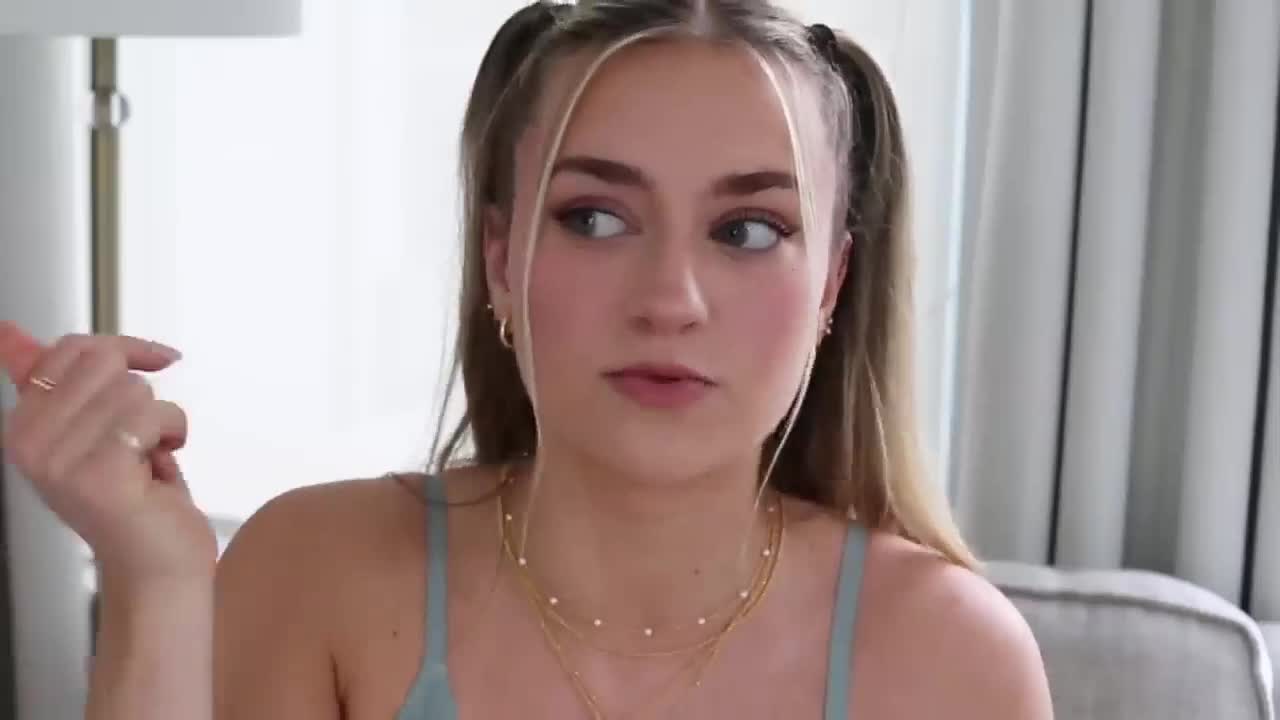
Hey guys, it's Sadie and today, after a million and seven requests of everyone wanting me to do an updated what's on my iPhone, I definitely think this is a good time to do it.
I kind of switched up my phone a bit.
I feel like my phone is a pretty good balance between aesthetic and keeps me productive.
Without further ado, let's get to what is on this little thing.
I love how you guys are so quick to notice when I get a new phone.
As soon as I got a new phone, you guys were like, what's on my iPhone right now?
Like I can literally have it in the corner in any of my frames and you guys will be like show us what's on your phone right now.
I have the iPhone 14 Pro Max in the starlight color.
I am in love with this color.
It has like a gold satin kind of back.
I did get to try out the iPhone 13 plus camera.
The camera on this one is actually better.
It has like the three camera instead of the two little lenses.
I definitely notice a difference.
I take all of my instagram photos on my phone.
They turn out amazing.
I vlog with my phone in 4k.
I love vlogging with the 05 feature like you can get so much, and i think it adds a really cool effect.
So i think this phone is so worth it to buy if you're looking for a phone that is super fast.
You don't really have to get the Pro Max.
I think the 14 has the same camera quality and I also just love having a bigger screen because I'm doing all my social media stuff.
I like when I can see things on a bigger screen.
And right now I actually don't have a case on it.
That is because my case is horrifying.
I simply don't know what I do.
I could literally just pick up my phone, walk through a door and my phone will fling out of my hand.
Do like a triple backflip land on its side, on its back and its front.
I'm just so clumsy with my phone, so my case is like actually embarrassing and beat up.
I had like a black apple silicone case on it, and now I am waiting for my velvet caviar cases to come in.
They're just in transit right now.
I think they're literally in my city.
I'm tracking them every single day.
I will show you guys when I get them.
I am going to update my phone case but I just thought the aesthetic purposes i would save you guys the horror of seeing my actual phone case.
But i do have a screen protector on it.
I haven't had a screen protector on my phone since i probably had like an ipod.
I don't know why, but i was like after i started getting phones i stopped putting screen protectors on them, which is crazy because i've only cracked one phone in my life and it was my samsung in like grade four.
But I got a glass screen protector and I will link this one on Amazon.
It literally just feels like a regular screen.
That's why I didn't get a screen protector before, because I was like, what if it makes it look all foggy?
Is it going to feel not clean?
Is it going to be hard to clean?
It's going to be hard to put on.
There's going to be bubbles on it.
No, like this one is so perfect and you can tell it's like a glass, good quality one.
Mine came in a pack of multiple so they were so easy to put on.
I put them on myself and there's no bubbles in this one.
I will link the screen protector down below and i'll also link my apple case for you.
That is a really, really good case and it works with wireless charging and everything.
This is my lock screen.
I actually have a ton of different lock screen set up.
I'll show you guys all of them.
This is my main one.
This wallpaper you can actually buy on my Etsy shop.
I made these really aesthetically pleasing, minimal lock screen wallpapers.
The vision behind this was I always loved the idea of using a definition theme in products that I sell.
I have in my Etsy shop banner the definition of actualizer, which is the name of my shop, and I wanted to sprinkle it throughout different products.
But I was like okay, there are no English words that are really pretty that express such amazing, inspiring things.
I was like, okay, what other language could I do?
And I am Greek.
My dad is Greek.
And there are so many Greek words that I resonate with that mean such beautiful things.
I wanted to incorporate them in my products.
I made five lock screen wallpapers.
They all have a different Greek word.
The first one that I have on right now is Mer...
Meraki, I think that's how you say it.
It means to do something with soul, creativity, or love to put something of yourself into your work.
I just love those.
I am so excited.
I also made one, if you don't want a Greek word on it.
I also made one that is actualizer, which basically means one or who, that which actualizes, and one who makes wishes turn into reality by means of organizational behavior and actions.
The next one is ataraxia.
I really have to, like, ataraxia.
Please let me know how to pronounce these, like, properly.
A serene state of calmness.
Freedom from worry.
You know ya.
I love this one so much.
This means a pure and well-balanced mind.
A good spirit.
Beautiful thinking.
Like, you know how they just don't have English words for this stuff?
And then the last one that I have is you done money?
Like, I don't know, guys.
Please help me with the pronunciation.
This is a contented state of being happy, healthy, and prosperous human flourishing.
This is actually probably my second favorite.
I just think that is such a unique word.
This is just the beginning of all the digital products that I'm gonna make.
I'm thinking of making icon packs, widgets, more backgrounds.
This is the one that I currently have.
I customized the font of the time to be like a serif-y, more bold font, because I really like fonts like that.
Then I just have my calendar widget, which just has all my calendar events on it for the day.
Then I have the weather network widget.
It's not the weather channel widget, which is the app that comes with your phone, because that is not as accurate, but it just has the current weather and then the low and the high for the day, which is just so nice to see that right there.
And then I have a messages widget which I can click on that and it'll just bring me straight to my texts.
Let's go into the other wallpapers that I have because sometimes I just feel like a chain.
I just love how you can have set wallpapers so you can change as many times as you want throughout the day.
A picture of me and my boyfriend when we went to an event downtown.
I love this photo so much.
Like my pink sparkly dress and we're both looking the same way.
My earrings are popping.
Then I also have this one.
It is a more serene one but this one actually brings a lot of memories back.
This is a photo that I took when I visited Liv where she lives and she lives near a beach.
It's so gorgeous, ellie was with us and we just had the best time, so this is like good memories.
I have two wallpapers that are associated with my sleep focus.
This photo i actually got from the app lock widget.
They just give you a bunch of backgrounds like, look at these nature ones, and they're all free.
I love the nature ones.
The city ones are gorgeous.
I could spend hours just looking through these photos.
I also really like the summer ones that they have.
And they have like palm trees, beach, ocean.
The girly aesthetic ones are really good too.
They have really widget friendly ones.
So they leave space for the widget at the top.
And this one is associated to my sleep and wind down focus filter.
That's why I have the widget that is the I am app affirmations.
And you just add that as a widget.
It's super easy to add.
I put my focuses as like self-consciousness confidence happiness health inspiration motivation, body positivity.
You can check off all the categories that you want to focus on for the quotes.
And the last one that I have is actually really sick.
I did this one last night, but it literally just shows the live weather of wherever you are.
I find that so cool.
It's like live, so it moves.
If it's raining, it'll rain.
If there's stars, it'll show all the stars twinkling.
If it's sunny, it'll shine and move.
And on this, I just have the weather widget and then I have the I am quotes again.
So very calming, like especially at night when it's just stars and you can just look at the stars on your phone.
Put it as my home screen wallpaper.
I did a wallpaper pair.
I blurred it so the words don't really get away of the apps and it's cleaner on my home screen.
I have a calendar widget up at the top.
This keeps me so organized.
I have a call today at one, so useful.
I don't think I will ever take the calendar widget off of my home screen.
Like it will always be there.
The reminders app, which I did kind of spruce up a bit because there are some updates to the app.
I just have five lists and for each list, I put a little emoji.
If you don't know how to do this, I just go to the three dots show list info and then press on the emoji in the top left and you can choose whichever emoji.
And I put the light pink kind of brown color for all of them.
I think it looks really pretty.
So I have a to do list, a to buy list, a social media list.
These are pieces of content that I'm going to be filming and uploading really soon.
But the long list is on my notes.
Then I have a packing list. which I recently added to reminders.
This used to be in my notes and I was like there needs to be a better way of doing this, so that there can just be a template that I can use over and over.
It was just so annoying that I had to do that.
So I was like, there must be a better way.
And there actually is a better way.
I use templates in reminders.
And the way that you do that is you just make a list.
I put like subcategories for all of the things that I wanna pack.
Clothes, I insert subtasks.
The way that you do this is you just go to the I then do subtasks and list all of your subtasks underneath.
I have toiletries, other, and diabetes.
When you make the list and you have everything you want, press the three dots, save as template and that means you can reuse this to-do list and you don't have to uncheck and check and rewrite everything.
I also did the same thing for my grocery list.
For the reminders that are really important.
I will flag them and on the today list I definitely use when I'm out running a bunch of errands and I need to remember what my day schedule is like when I'm not near my iPad so I don't have my digital planner on me.
But that is just my reminders.
Then i have pinterest.
My pinterest has been so good lately.
It's on the summer couple photo ideas and summer fashion and accessories vibe and like little morning routine things like my pinterest is really good right now.
This is my account.
It's just at sadie aldis.
I would love to show you what is on it, but i my wi-fi isn't working.
That's a little awkward.
Here are some of my recent pins.
These make me so happy.
Some of my favorite boards are summertime.
Everything is in your mind looks summer, fits and life after that.
I have youtube studio where i can check all my youtube analytics.
I have youtube notes.
I just have everything put in folders.
You guys have seen my notes so many times and if you want to know how to use tags, i just made a video about that, so i will link that down below.
I have phone settings, Photos.
Okay, did you guys know that you can mass favorite and unfavorite photos?
This is an update that I have wanted Apple to do for so long.
When I'm choosing photos, I take like 500 photos at the same time in one photo shoot and then I go through and only keep like 30.
I favorite the ones that I want and then I also don't want those all to be in my favorites.
So I can just select, go like that, click the three dots and then click unfavorite.
You can also duplicate photos.
You can copy edits from one photo to another.
If i wanted to copy these edits which i actually do use the automatic photo editing adjustments that the photos app gives, because they give such a contrasty boost to your photos like.
This is a before photo that i already edited in visco and then i press the auto and it just makes the color so much brighter but it doesn't look fake.
I'm going to turn the brilliance down a little bit, but the difference between that and that is so nice.
And if I wanted to copy those edits, I would just press copy edits and then I could paste it on any photo.
And I also do that for my thumbnails.
Like I will always put all my photos through Apple photo editing.
Then I have Smart Life.
This is what I use to turn on and off my galaxy projector.
I can change the color.
I can add more weight.
I could take off the weight.
I could adjust the brightness and the saturation.
I can make it move slower. faster i can also put stars so oh someone just ordered two of my planners thank you so much but yeah i will link my galaxy projector down below then i have gmail which is my email for business and social media stuff ways is the best navigation app like i don't know how people are still sleeping on ways They show you where the police are.
They give you time frames of how much time you're going to be in traffic.
They warn you when someone's pulled over, when there's something on the road.
It is so useful.
It always gets me everywhere in the fastest route.
It adjusts.
If there's traffic building up, they'll be like, oh, we're looking for another route.
Do you want to take this one?
It's so helpful.
Then I have UNUM.
This is where I plan out my Instagram feed.
I have currently three things planned out right now.
And you can shift everything to see what it's going to look like when it's first posted. posted.
Then I have VSCO.
I'm going to show you, I get so many questions on what filters I use to edit my photos.
These are usually the filters I use.
So I'm just going to go to this photo, have them all favorited.
So if you guys want to see all of my favorites, I'll just scroll.
Like I will probably never use a VSCO filter that's not in my favorites.
My three go-tos for Instagram photos specifically are C1, C6 and l4.
So on this one, i used c6.
I always bring it down a lot and i pretty much always put the exposure down, put the contrast up i don't really touch the saturation and i usually put the highlights down and put the white balance and temperature up because i want it warm and pink.
So those are just like a couple things that i do.
I also have a custom preset that i made with the l4 filter because that's one that i use the most.
So i just kind of made a custom preset with these two settings on it.
I have tick tock.
Here's my tick tock.
It's just sadie aldis.
I've literally been posting every day snapchat.
This is my snapchat.
It is sadie aldis, 11 i think.
Look how much i posted on my snapchat yesterday, like i was abusing this app.
I don't know why my binmoji is me eating and this is my little bitmoji girl.
I think she's dressed pretty well like little sweatpants, nice red and white sneakers.
It's like the statement of it.
I have some gold hoops.
Basic t-shirt looks like the aritzia contour.
Next thing is instagram, and i have once again been grinding on instagram.
I have been posting every single day.
This is what my real feed looks like.
I absolutely love it.
It's like a pinky theme.
I I'm not really that picky about one specific aesthetic for my feed, because I'd rather have a really nice, good quality photo that is unique rather than making all the photos look the same.
I did pin my actualizer post.
Do you guys know that you can actually link more than one link in your bio?
Right now I have my Hubie, which has absolutely all of my links.
And then my digital planners too.
Let me know if I should change my profile photo.
I do get tired of my profile photos in like two days.
Let me know if this one is just a little bit old.
I'm probably going to change it anyways.
On the second page, I just have my second most used apps.
I have Outlook, which is my school email, camera, FaceTime, Google Maps.
I prefer using Google Maps for when I have to walk somewhere.
So if I'm driving, I'll use Waze.
But if it's walking or train, I'll use Google Maps netflix, like to know it.
I have a bunch of things linked on like to know it that i don't find on amazon and that are through different brands like apartment, body care fashion hygiene, life essentials, my alexa this is where i set all my alarms and i have two routines on my Alexa going on right now my morning and night.
So in the morning I say good morning or I turn my alarm off and that triggers the routine.
Then it sets the volume to three and then it turns my galaxy light on.
It's the opposite.
For the night, I'll just say good night Alexa, and it'll turn off my light.
I have my bank app, Clarity.
If you have a Dexcom, this basically gives you reports about all of your previous blood sugars.
It can show you patterns of your blood sugars, give you an estimated A1C.
Really, really helpful.
Pulse is where I get notifications for grades. for school.
Amazon, I use way too much.
My Amazon storefront is always linked down below.
Tim Hortons, I do have a Tim Hortons card.
Ever since Tim's got almond milk and soy milk, I've just been going there because it is actually not worth it to go to Starbucks anymore for me.
I don't even really like their iced coffee.
I think Tim's iced lattes are better than Starbucks iced lattes.
Let me know if you agree.
Please.
And it is a lot cheaper.
But I do have 2,000 points.
I'm banking those points so I can get a free latte in the near future.
I have my Flow app, which tells me when I'm going to get my period and why I feel like I'm crying all the time.
I usually start crying and getting headaches and getting cramps.
And then I get notifications saying, you're starting your period in five days.
And then I'm like ah, there you go.
Airbrush is what I use to put details on my photos.
Say I was editing this photo, I go to the details tool, I will go over my jewelry.
It just makes it pop more.
Sometimes I'll go on my eyes and my eyelashes because it makes them pop.
You can also erase things in photos.
If they go to tools and eraser.
I can get this thermostat thing out and it's literally so easy.
Then I have the honk mobile app, which is what I use to pay for parking when I park anywhere in my city.
Mail at the bottom, which is my personal mail, Safari and messages and Spotify.
These are some of my favorite songs right now.
Like this is my faves playlist.
I kind of cleaned up my playlists and I made sure that they only had songs that I truly still love in them.
My favorite song right now and it has been my favorite for a week, which is usually weird because i do get tired of songs in three or four days but it's home to another one by madison biere, and she has an album coming out.
I think it's silence between songs is what it's called.
Cannot wait.
Like i am obsessed with madison, it is almost like ariana's here and madison is like here, because ariana hasn't released music in like 12 years And I'm also entering my Selena Gomez era.
So I have two Selena Gomez songs here.
That's gonna be it for what is on my iPhone 14 Pro Max.
This felt like so OG Sadie.
Like I'm so in my element right now.
Make sure to visit my Etsy shop, Actualizer Co. for digital planners and now phone wallpapers.
And let me know what else you want me to make.
I love you guys so much.
I hope you have literally the best day in the entire world.
And I will see you in my next video.
Bye.