
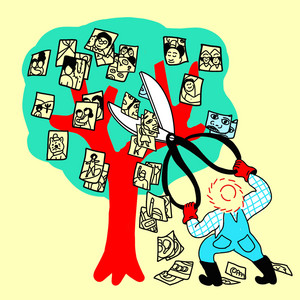
[Mastering Your Digital Memories: A Practical Guide to Photo Organization]-[How tech experts recommend organizing your photos]
📋 Summary
Taming the Digital Avalanche: A Guide to Managing Your Photo Library
In an era where our smartphones act as constant companions, capturing everything from mundane moments to life-altering milestones, the digital clutter of our photo libraries has become a modern-day stressor. Many of us face the recurring dread of "running out of storage in the cloud," leading to a cycle of paying for more space rather than addressing the root cause: an unmanaged, sprawling archive of images. This guide, synthesized from expert advice featured on NPR’s LifeKit, provides a roadmap to reclaiming your digital memories.
1. The Necessity of Immediate Action
Consumer tech expert Kim Komando emphasizes that procrastination is the enemy of organization. "Next year, you're just going to have more photos, so just bite the bullet and get it done now." The sheer volume of photos—often reaching into the tens or hundreds of thousands—can feel like the "Wild West," but the reality is that waiting only compounds the task. Commitment is the primary requirement; without a dedicated effort to sift through the backlog, the problem will only continue to scale.
2. Ruthless Culling: Quality Over Quantity
One of the biggest contributors to storage bloat is redundancy. We often capture five versions of a group shot, trying to find the perfect frame where everyone looks good. Komando suggests "culling those down" to the best selections. While picking the best five is a start, the ideal goal is to "pick the best two." To facilitate this, utilize specialized software. Tools like Photosweeper, Photos Duplicate Cleaner (for Mac), or Duplicate Cleaner (for PCs) automate the process of grouping "DOOPS" (duplicates), allowing users to delete redundant files efficiently. For those unwilling to do the heavy lifting, outsourcing the task to professional services like Fiverr or hiring a professional photo organizer like Anna Carvajal are viable alternatives.
3. The Art of Strategic Tagging
While adding keywords and tags in apps like Apple Photos, Windows, or Google Photos can be "painfully boring," it is the most effective way to ensure long-term accessibility. The key, however, is moderation. As Anna Carvajal advises, "don't get too specific." If you have a library of 100,000 photos, you do not need hundreds of complex tags. Instead, keep it broad. For instance, using a single tag like "vacation" is sufficient because the software already sorts files by date. By combining the date-based structure with a broad keyword, you can easily filter for "all the travels of that year" without micro-managing every location.
4. Leveraging Machine Learning
We are currently living through a technological shift where "something really wild has happened in the last five years." Modern smartphone software has become incredibly adept at facial recognition, place identification, and object detection. You no longer need to manually tag every image. As Naveen demonstrates, you can simply type a search term like "toy" into your photo app to find specific items, such as a child's "lovey" or stuffed animal. "Lean into machine learning and search functions" to bridge the gaps in your manual organization, as these tools are "getting better every year."
5. The Ultimate Goal: Sharing and Legacy
The purpose of organization is not just to have a clean drive, but to make your memories shareable. Whether it is creating calendars, personalized gifts, or printing physical photo books, the value of a photo archive lies in its utility. By maintaining a consistent system—ideally ensuring photos are tagged for the current year by the time the holidays arrive—you transform a chaotic archive into a curated collection that captures the essence of your life, from "mothers, sons, fathers, daughters, friends, dogs, parties or milestones." Ultimately, the effort spent organizing is an investment in the ability to share the stories that bring us together.
Deep Learning with ListenLeap


