Today, I'm going to break down nine AI side hustles you can do with no money.
These can potentially make you hundreds to thousands of dollars a day.
And I know because I've done or still do many of these myself.
I'll begin with the easiest AI side hustles and work my way up to the harder yet higher earning ones.
Kicking things off, number one, photo colorization.
Black and white photos have their charm, but adding color to them can bring them to life.
That's why many seniors and their families are paying for such a service.
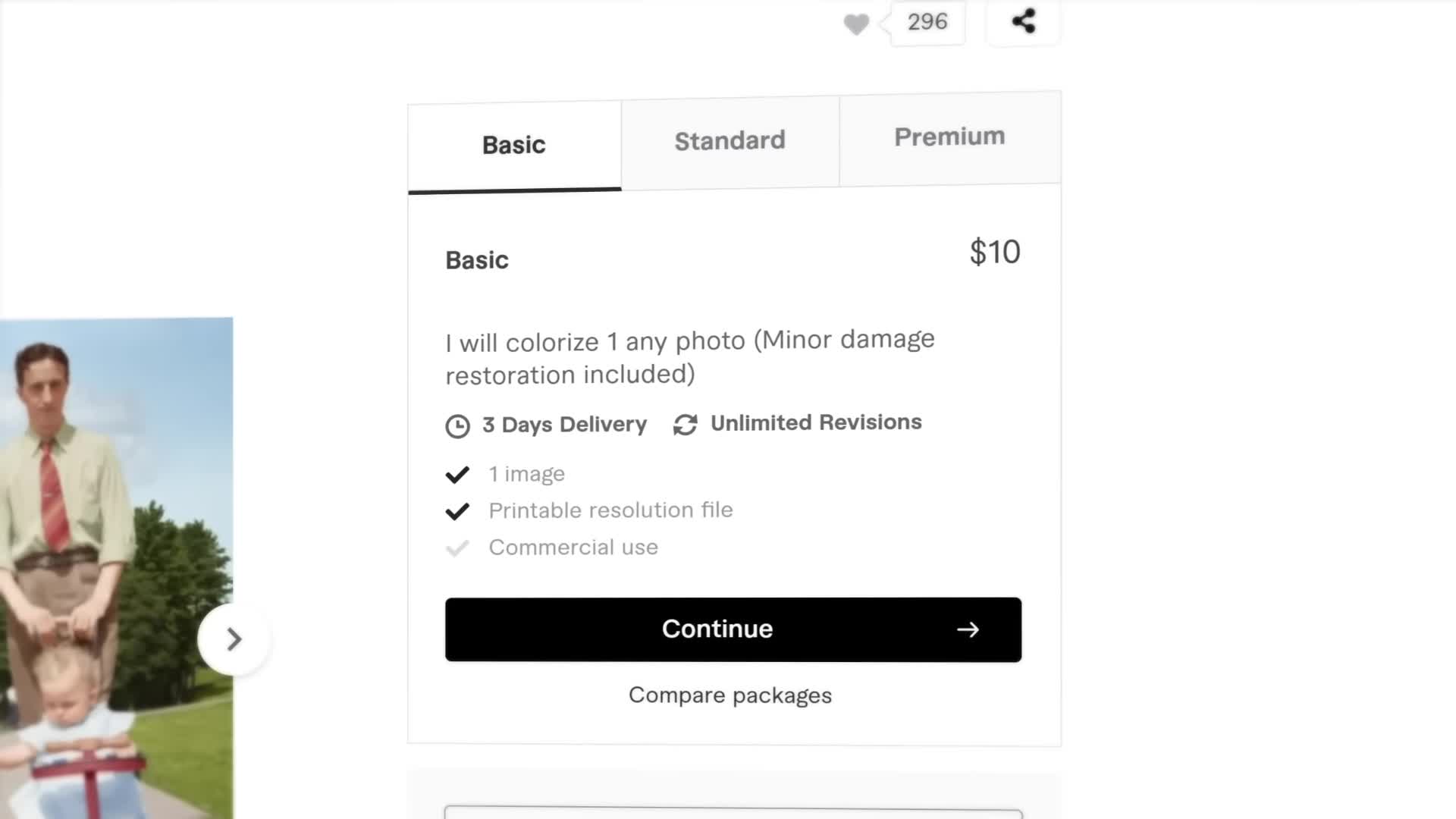
On Fiverr, a freelance service marketplace, people are colorizing photos for around $5 to $10 each.
Now, that might not sound like much, but being that it takes 15 seconds to do with AI, it's not bad.
Here's how it works.
I'm gonna pull up CapCut, a free all-in-one video editing and graphic design tool.
Its new CapCut for Business suite of tools offer a bunch of AI tools for entrepreneurs and creators to make content with.
I'm gonna select the Photo Colorizer tool and with a single drag and drop I can turn a black and white photo into a colored one in an instant crazy.
To make more money, you can consider upselling additional services like photo restoration.
Black and white photos often come faded and scratched.
With the old photo restoration tool, you can repair those damages and make things look new.
Another upsell you can offer is upscaling.
Using the image upscaler tool, you can increase the resolution of an old photo and make it higher quality.
As you can tell, CapCut has a lot of AI tools.
In fact, every AI side hustle I'll be covering today will only use CapCut and nothing else.
It's pretty OP.
I've linked it in the description.
For difficulty, I'm going to rate photo colorization one out of five sweat drops.
For earning potential, I'm gonna rate it one out of five stacks.
Because it is so easy to do.
It does bring along a lot of competition, at least on Fiverr, which limits how much you can charge.
You might have to promote your services offline to retirement homes or funeral homes.
You'll have to get creative.
Number two, clothing model photos.
When it comes to selling clothes.
Clothing brands often need photos of models wearing their products.
If you think I'm gonna tell you to pull out a camera or unleash your inner Zoolander No, with AI, there's no need, because you've got an entire army of models at your fingertips.
With the CapCut for Business AI model tool, you can upload a photo of a piece of clothing and choose a model.
Click generate and in seconds, AI will apply your clothing onto the model.
It is magic.
You can offer this service on Fiverr or directly to small clothing brands.
Typically, a photo shoot with a model can range from hundreds to thousands of dollars.
Realistically, will people pay the same amount for AI models versus real models?
Probably not.
Will they pay $20, $50, $100?
Maybe.
For difficulty, I'm going to rate clothing model photos one out of five sweat drops.
For earning potential, I'm going to rate it two out of five stacks.
I would guess most clients choosing AI models have a limited budget, so you'll earn less, but with volume the work could be worthwhile.
Number three, captioning.
Videos nowadays features captions more than ever to increase accessibility and hold your short attention span.
Therefore, captioning is in big demand.
On Fiverr, revenue can range from $10 to $60 per video based on its length.
Captioning with AI is incredibly quick.
After creating a video project on CapCut and placing a video onto the timeline, click captions, then auto captions.
Immediately, AI will caption the entire video for you.
You can then review the captions to fix any errors and you're good to export.
Some opportunities to upsell include offering different fonts and styles in and out, animations and translations in multiple languages.
Of course, make sure you know the language you're translating to, or else things may not come out right.
You can offer your captioning services on Fiverr, but what I suggest is directly reaching out to potential clients.
Look for small to medium-sized content creators and podcasters, businesses that post webinars and interviews, and real estate agents that post real estate videos.
If you can strike up some long-term partnerships, you'll set yourself up for some good money.
For difficulty, I'm gonna rate captioning one out of five sweat drops.
For earning potential, I'm gonna rate it two out of five stacks.
Number four, product photos.
Speaking of clothing earlier, other types of products need photos as well.
Businesses are particularly looking to add that classic white background to their raw product photos.
That's where you come in.
In CapCut's online photo editor, you can upload a raw photo of a product and click remove background on the side.
By toggling on auto removal, AI will automatically cut out the background.
It's as easy as that.
On Fiverr, people are adding white backgrounds for $5 per photo.
Makes sense for just a couple seconds of work.
Now, another way to make money with product photos is to do the opposite and offer detailed backgrounds.
Heading back to CapCut, I'm gonna click on apps and then the change background tool.
I'm gonna upload my raw product photo and select one of the many different background options.
When selecting one, CapCut will actually analyze your product and generate a custom AI background that interacts with it.
You're gonna be able to charge more than $5 for this.
If you really wanna make money with product photos, you'll need to work with businesses that don't even have photos to send you in the first place.
Back in university, one of my main side hustles was product photography.
I freelanced for a company that made product development hardware and would go to their office every few months to take photos.
Click by click, I would cut out the backgrounds using Photoshop.
It took hours, but I made over $100 every time.
Over the years, thousands.
With AI now, you can do what I did, but in seconds.
For difficulty, I'm gonna rate product photos two out of five sweat drops.
The editing is effortless with AI, but if you're gonna take product photos yourself, you're gonna need to know a bit about photography.
For earning potential, I'm gonna rate it three out of five stacks.
There's definitely money in this.
Number five, social media graphics.
When I freelanced for that product development company, I also designed a lot of social media graphics for them.
And I made thousands of dollars over the years.
With AI these days, offering social media graphics to businesses is easier than ever.
CapCut has a tool called Text to Design, where you write a description of the graphic you want and upload an image.
It'll then generate several custom graphics for you to choose from.
You can also browse their library of business image templates and select the design to start off with.
They have standard square templates, Instagram story templates.
You can always edit a graphic from scratch too.
The best way to make money with social media graphics is through long-term partnerships.
You're gonna wanna aim for a consistent amount of work.
Try reaching out to some businesses and see if they're down.
A great upsell to package with your designs is social media copy, which you can even write with ChatGPT.
For difficulty, I'm gonna rate social media graphics three out of five sweat drops.
While you can use templates, if you ever need to make something specific, you'll need to know a thing or two about graphic design.
For earning potential, I'm gonna rate it three out of five stacks.
It's a great gig.
Number six, content repurposing.
Many video creators need help repurposing their long-form content into short-form content, like TikToks and Instagram Reels, and will pay tens to hundreds of dollars per edit.
Typically repurposing video content consists of one adding captions, which we covered earlier, and two resizing to fit the aspect ratio of each platform.
In CapCut's online video editor, you can quickly switch between common social media aspect ratios.
If you're repurposing for TikTok, there's also a preview that you can use to make sure elements like captions aren't covered.
Many creators will also want video effects and B-roll to be added on as well.
So that's something else you could offer.
A good starting point is to reach out to creators who make simple talking head interview or podcast videos.
These videos are easier to repurpose and many of these creators do need the help.
For difficulty, I'm gonna rate content repurposing three out of five sweat drops.
It will require some video editing knowledge.
For earning potential, I'm gonna rate it three out of five stacks.
Number seven, thumbnails.
Another area you can help creators with is designing YouTube thumbnails.
On Fiverr, people are charging up to $50 per thumbnail.
Though honestly, I think there are plenty of YouTubers out there who are willing to pay more because they know just how important a thumbnail is.
You can design thumbnails using CapCut.
There are a bunch of features to play with from text to photos to stickers.
I find the remove background tool mentioned earlier to be the most handy.
Designing a good looking thumbnail is one thing.
Designing one that people will click on is another.
If you wanna succeed, you're gonna need to do some research and analysis on what really makes a good thumbnail.
To bring in clients.
I suggest you reach out to creators, big and small, as well as businesses with YouTube channels.
Have a portfolio to present them, or even better, examples personalized for them.
For difficulty, I'm gonna rate thumbnails three out of five sweat drops.
For earning potential, I'm going to rate it three out of five stacks.
Number eight, video editing.
In university.
Editing videos was another one of my side hustles and it made me thousands of dollars.
There is clear demand from businesses and content creators and, with AI, there's been no easier time to get into it than now.
CapCut has tools that can literally edit videos for you.
For example, to create a video ad for a product, you can use their CapCut for Business tool.
Product URL to ads.
By pasting in a product link, it will analyze the website and generate several custom video ads for you, for your product.
It's mind-blowing.
Aside from its AI tools, CapCut has many business video templates to choose from for all kinds of products and services.
You just drag and drop your clips in and you're done.
All this to say.
If you want to make big money with video editing, you'll need to learn how to edit outside of these AI tools and templates.
For difficulty, I'm gonna rate video editing four out of five sweat drops.
There's definitely a lot to learn for this one.
For earning potential, I'm gonna rate it four out of five stacks.
Number nine, influencer.
You probably already know how much money being an influencer can bring in, a lot.
The cool thing is there are AI influencers popping up now, or at least humans using AI to become influencers.
Even I made an AI YouTube channel.
You can check it out here.
You can explore creating an AI influencer using CapCuts AI character tool, which generates a human on screen that can say anything you want.
You can select a range of different characters, looks and voices.
As of now, this tool is only on their mobile app.
Taking it a step further, there's a CapCut for Business tool called Script to Video, where AI will make an entire video for you.
You just type out what you want your video to be about and then press enter.
They'll then generate a script for you which you can use to generate a whole video with visuals music captions, voiceovers and all.
Hello everyone!
Today I want to talk about why you should subscribe to Jensen Tung.
First of all, Jensen Tung is one of the best YouTubers in the gaming industry.
I'll admit it's a bit basic as of now, but it's a great way to get a video rolling.
You can always dive in and edit the video further.
For difficulty, I'm gonna rate Influencing five out of five sweat drops.
It is by far the hardest one on this list.
For earning potential, I'm gonna rate it five out of five stacks.
If you can make it work, the sky is the limit.
And there are your nine AI side hustles.
Shout out to CapCut for sponsoring this video.
You can check out the CapCut for Business tools at the link in the description.
If you enjoyed it, be sure to like it, subscribe if you want to see more, and peace out.